Feelify
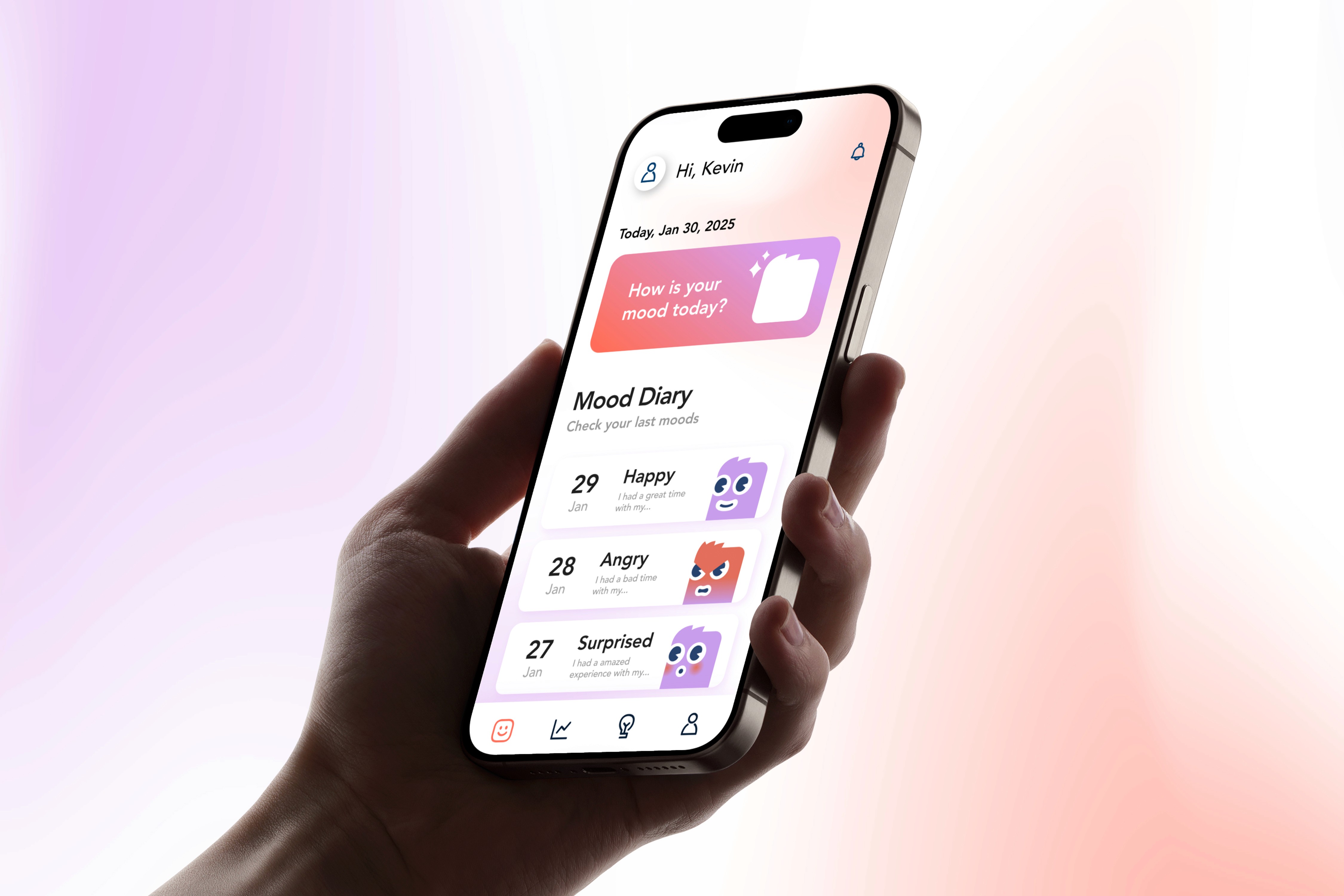
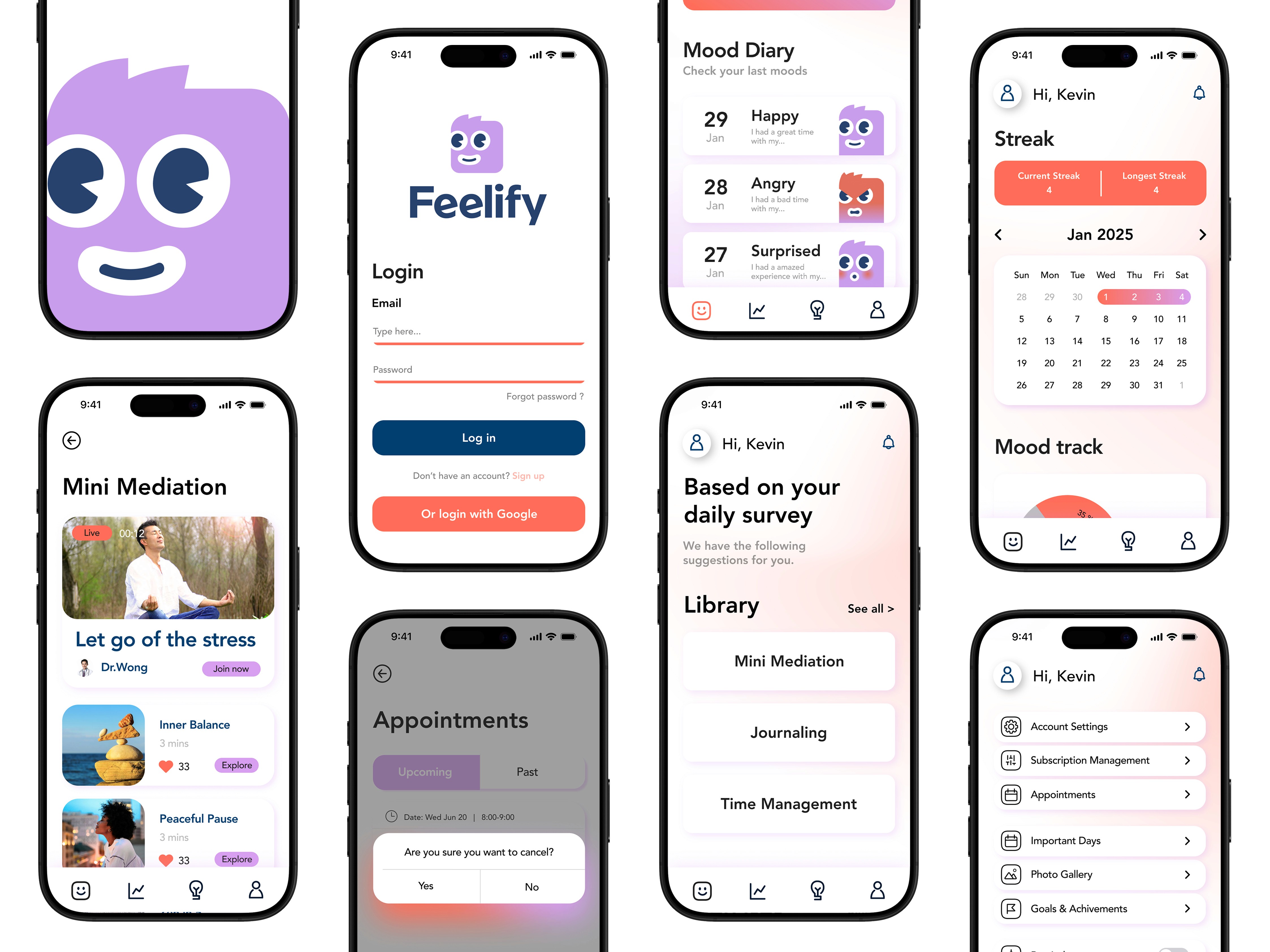
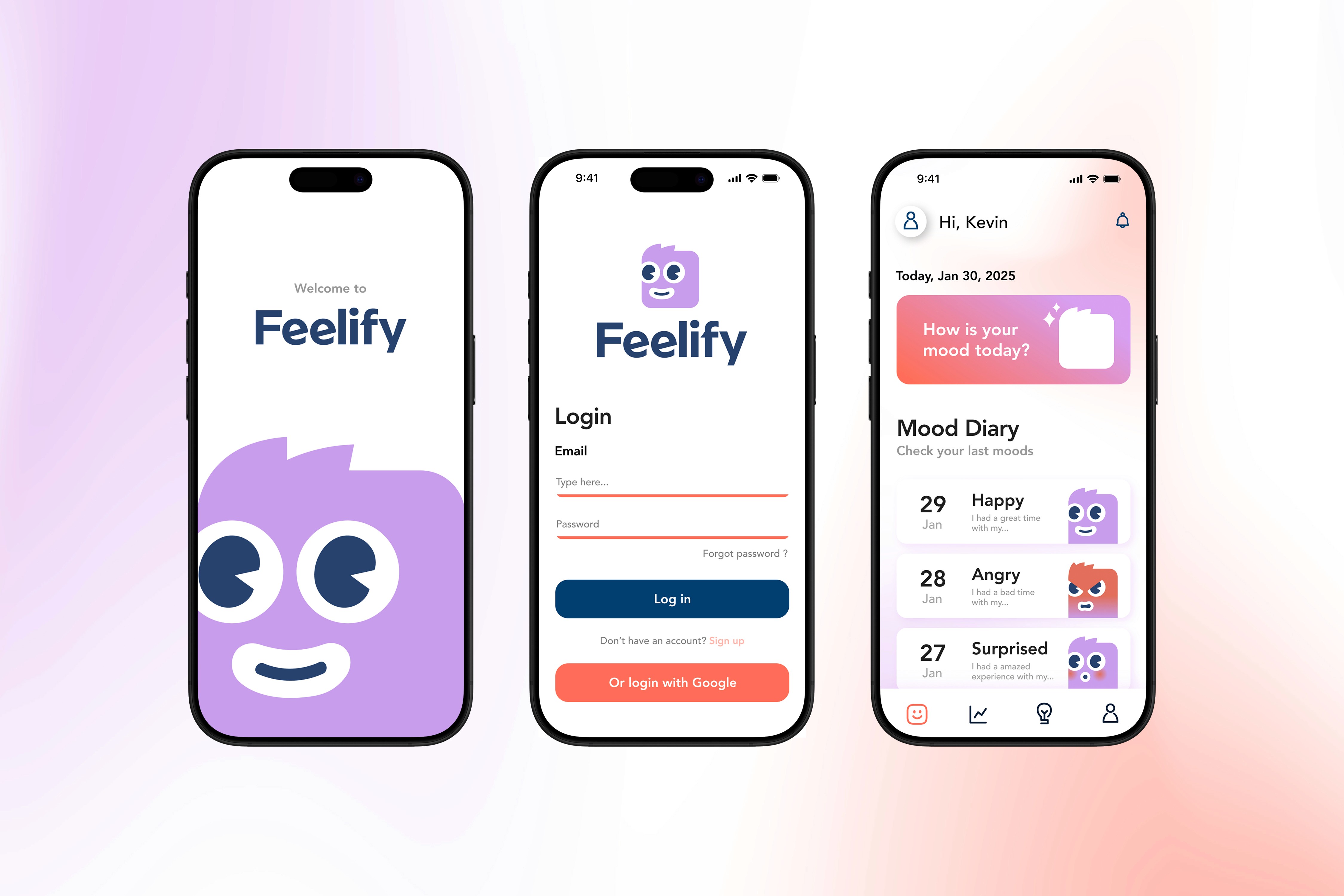
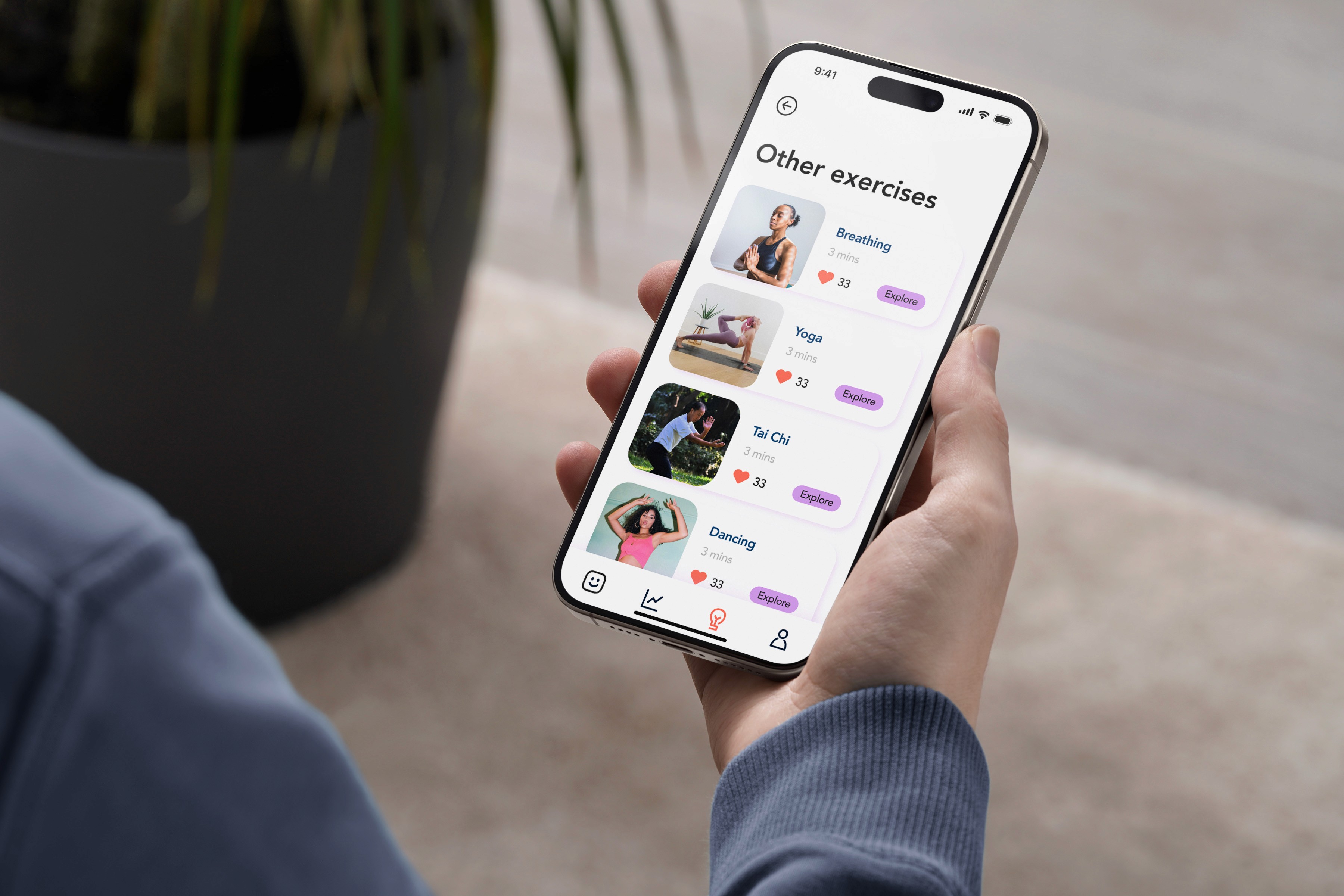
Feelify is your all-in-one app for understanding and improving emotional well-being. Track your moods, access detailed monthly charts to visualize trends, and uncover emotional patterns. Get instant solutions tailored to your feelings, write reflective journals, and evaluate your mood scales for deeper insights.
Industry
Digital Health
Services
UI Design
Product Design
App Design
Credits
Hobert Nguyen
Anne Emberline
Bahar Tajik
Priscila Requena
Year
2025
Design Process
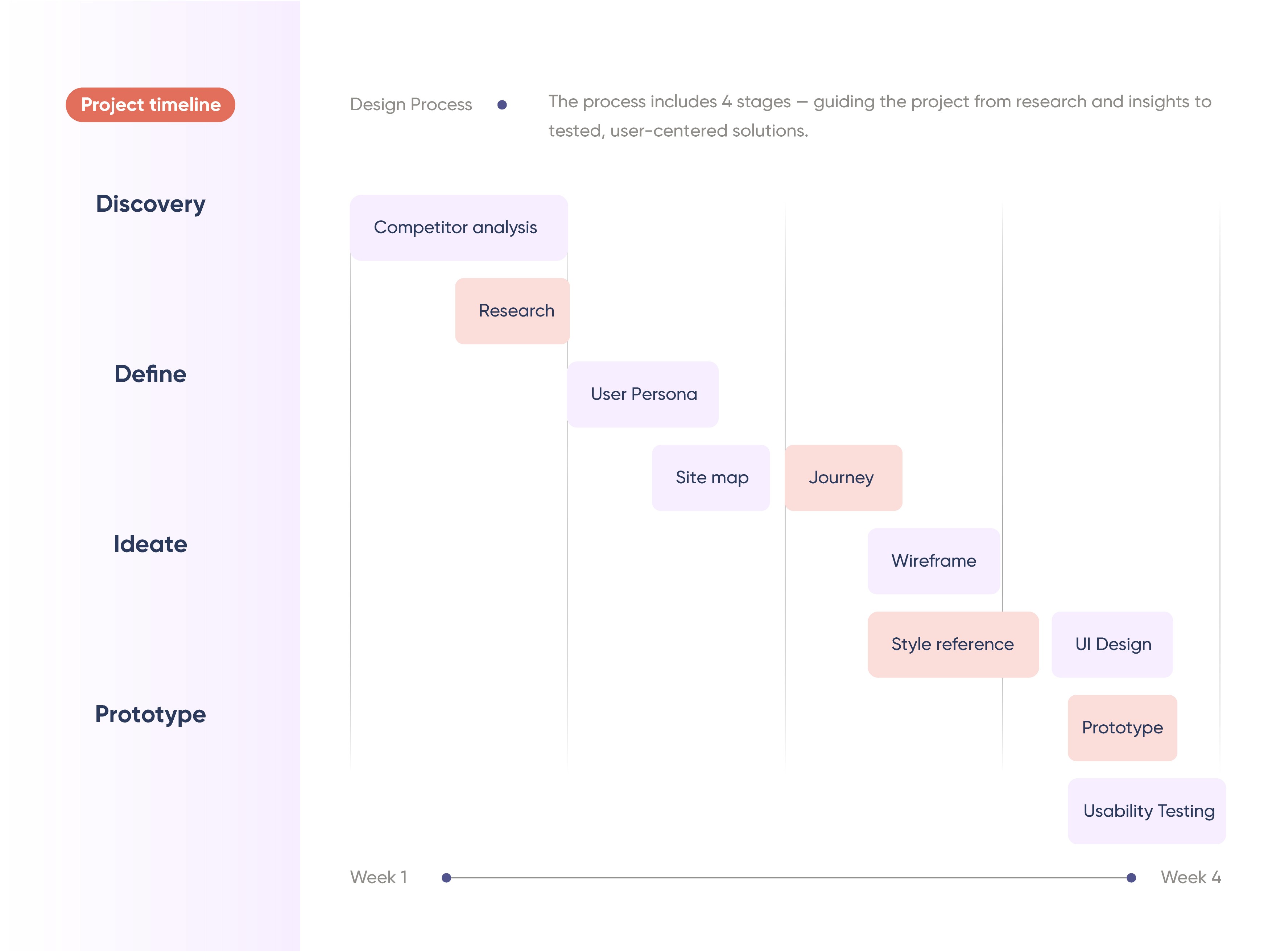
The project is condensed into four weeks to optimize team efficiency and encourage the use of AI in researching user preferences, the market, and competitors. The scope of work spans from foundational UI/UX analysis to art direction, wireframe sketching, defining the prototype system, and usability testing with potential users.
User Research
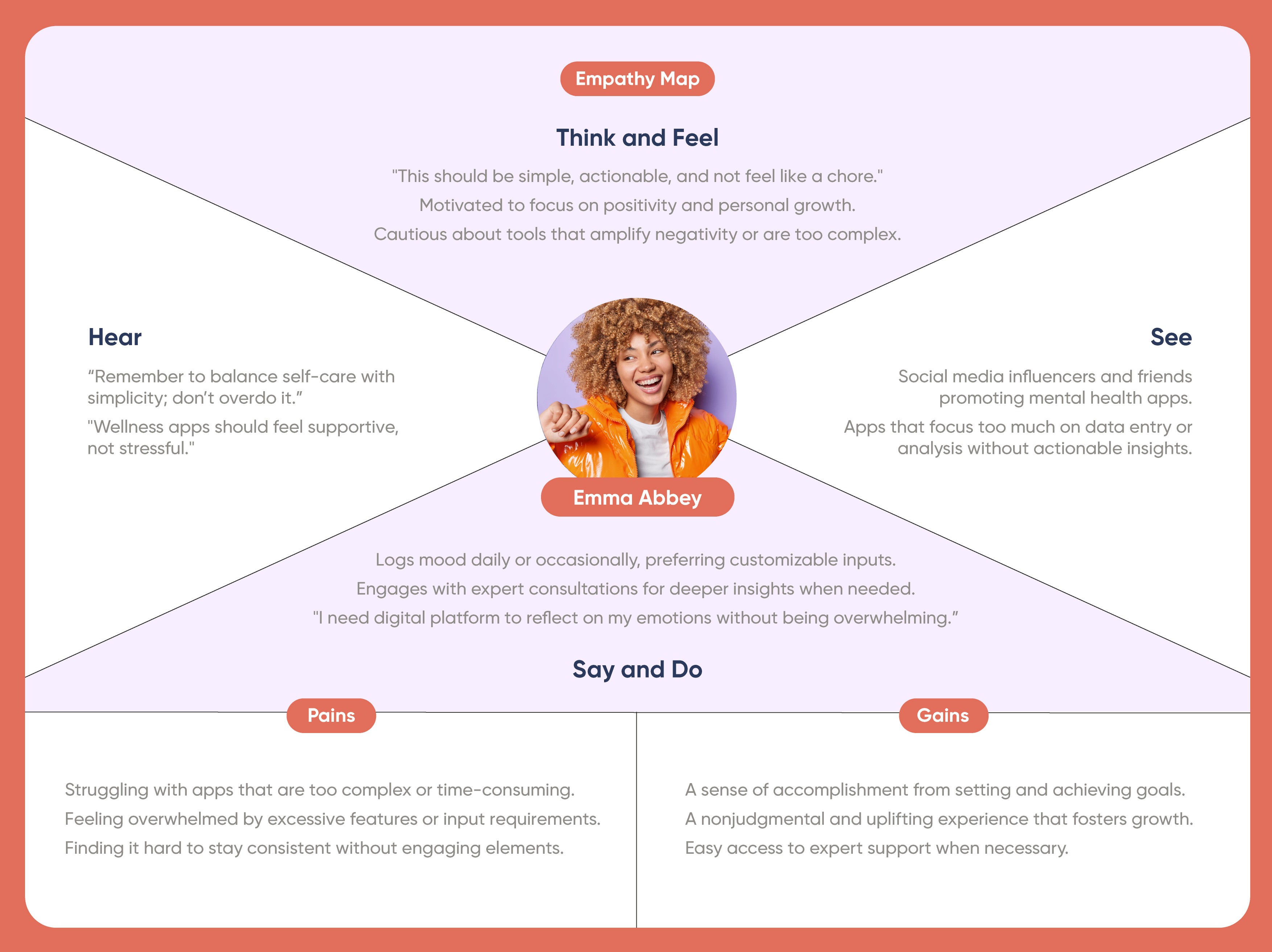
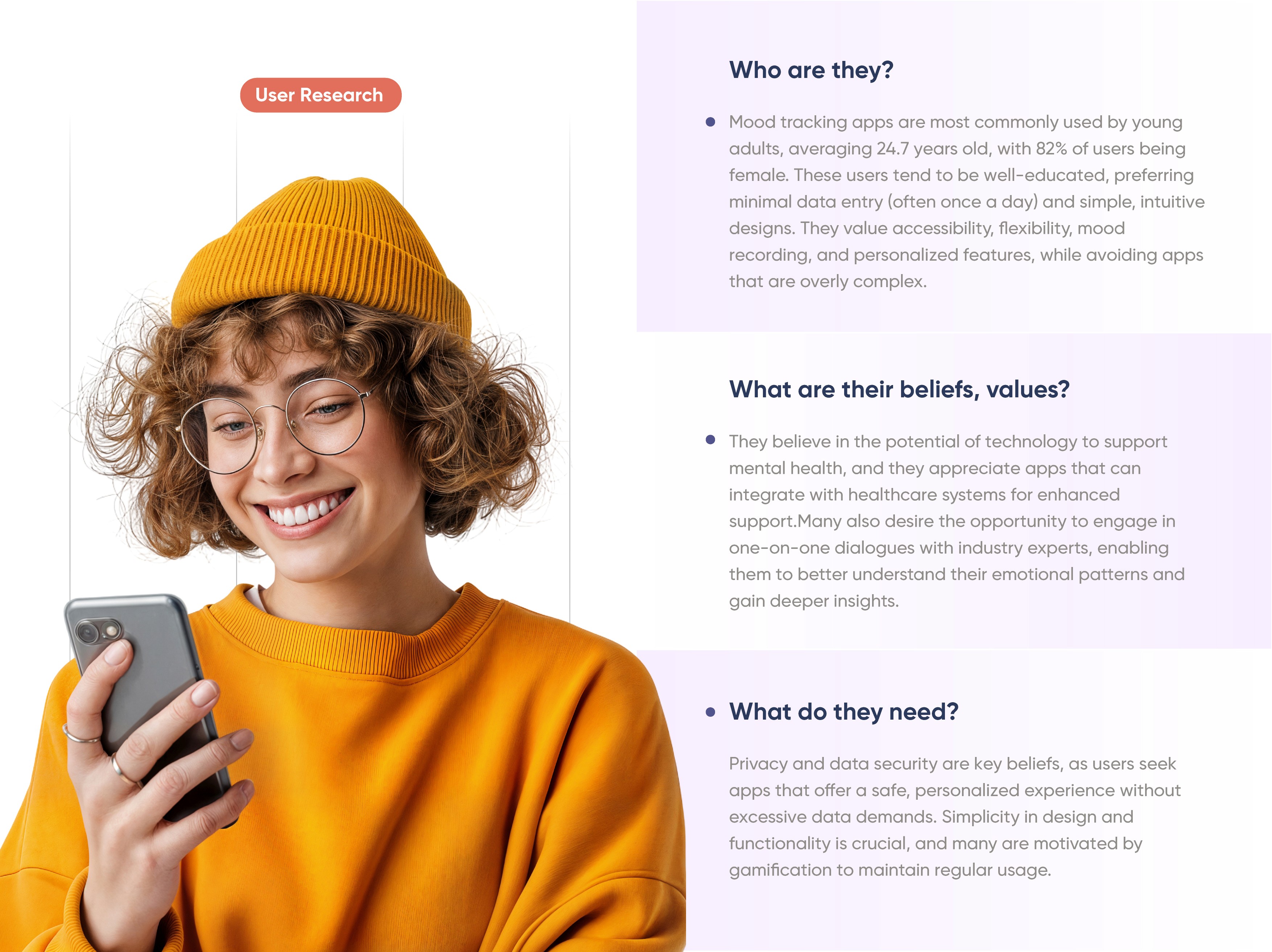
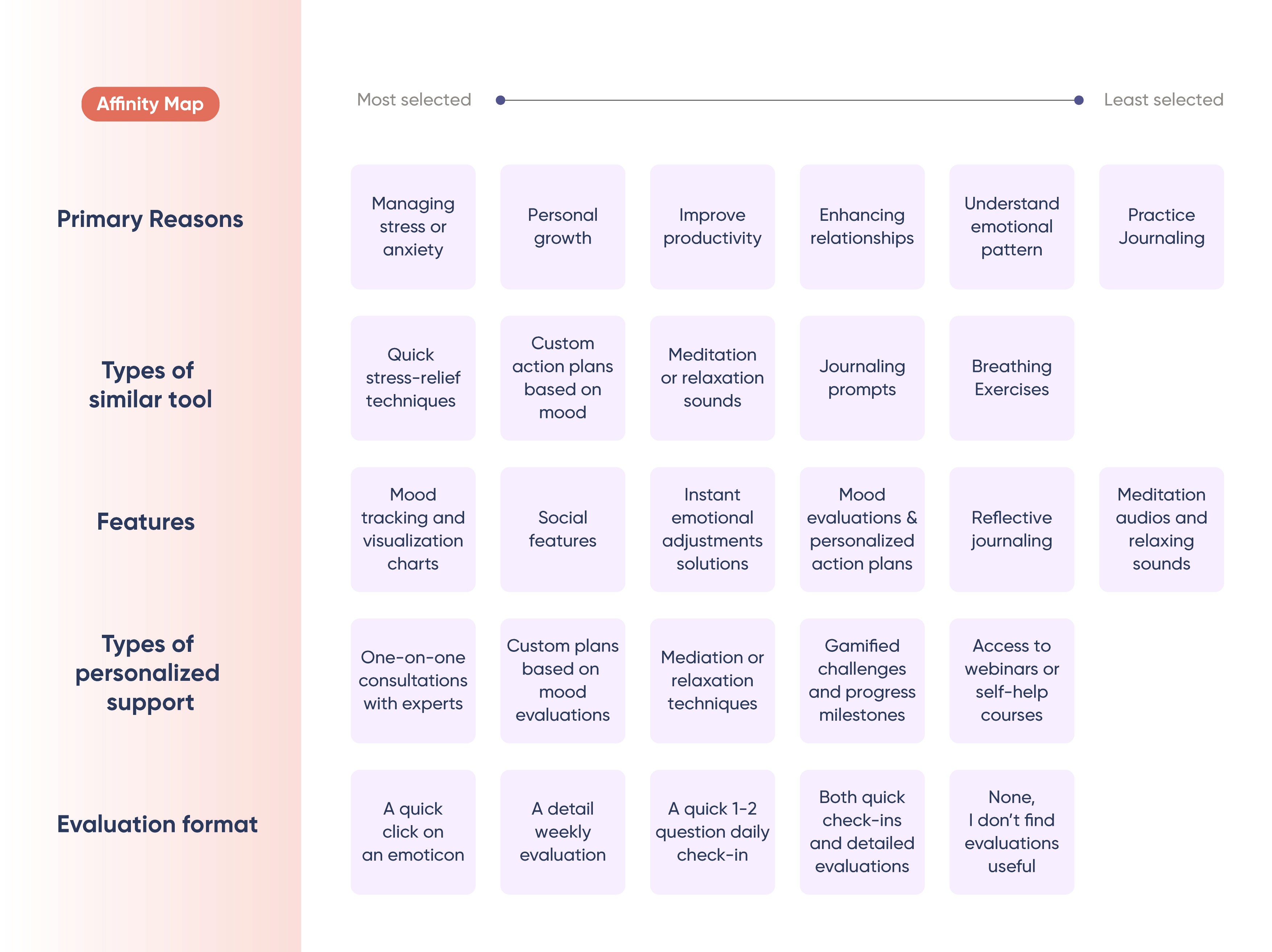
Our user research centers on young adults (mostly female) who want a simple and supportive way to track their moods without feeling overwhelmed.
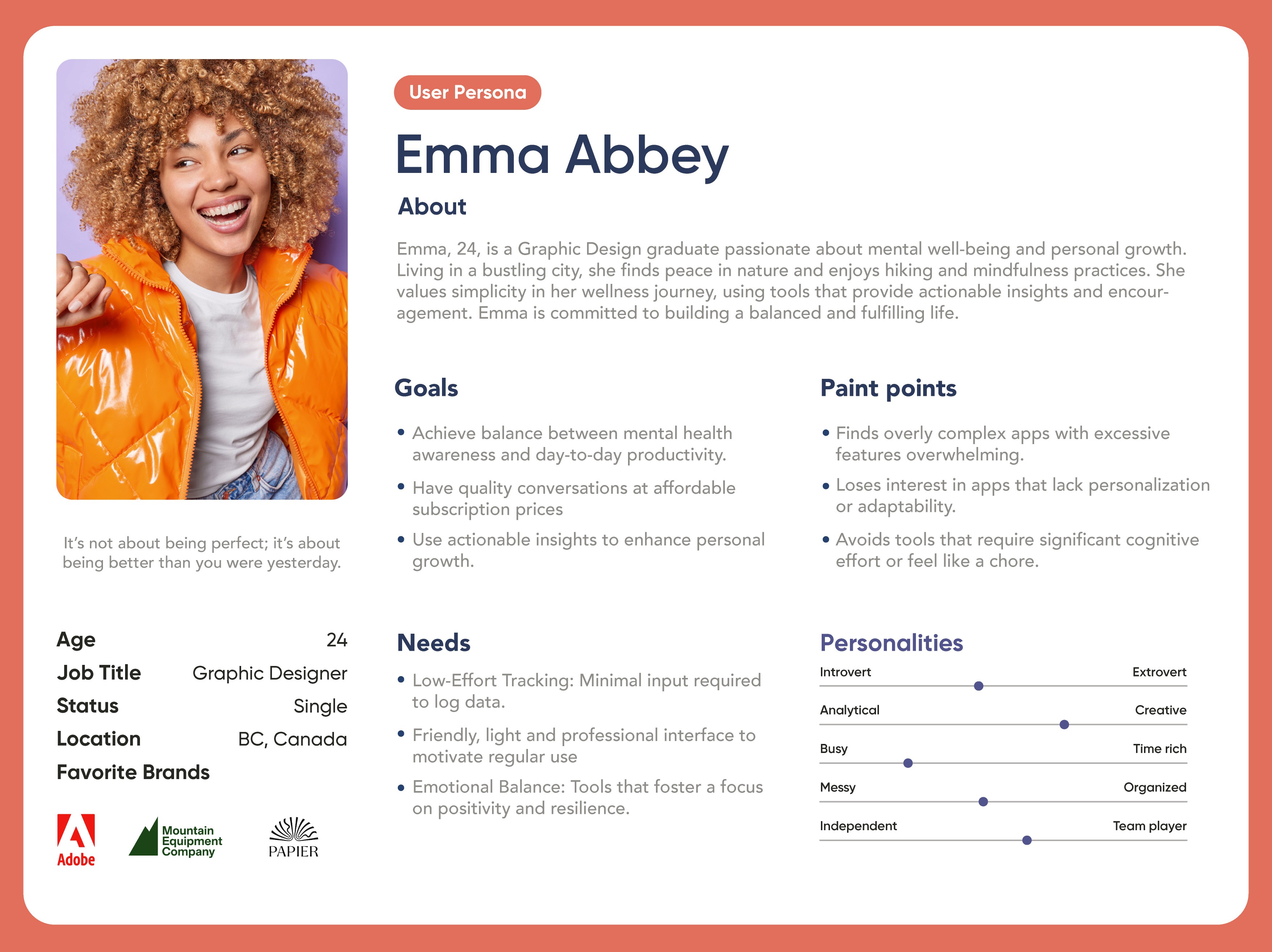
Represented by Emma (24), they prefer minimal and customizable check-ins and actionable insights that help them stay positive, build healthier habits, and support personal growth. Their biggest pain points are apps that feel too complex, time-consuming, or data-heavy , so privacy, personalization, and gentle motivation (like gamification) are key. When needed, they also value easy access to expert support for deeper guidance.
Sitemap/ User Flow
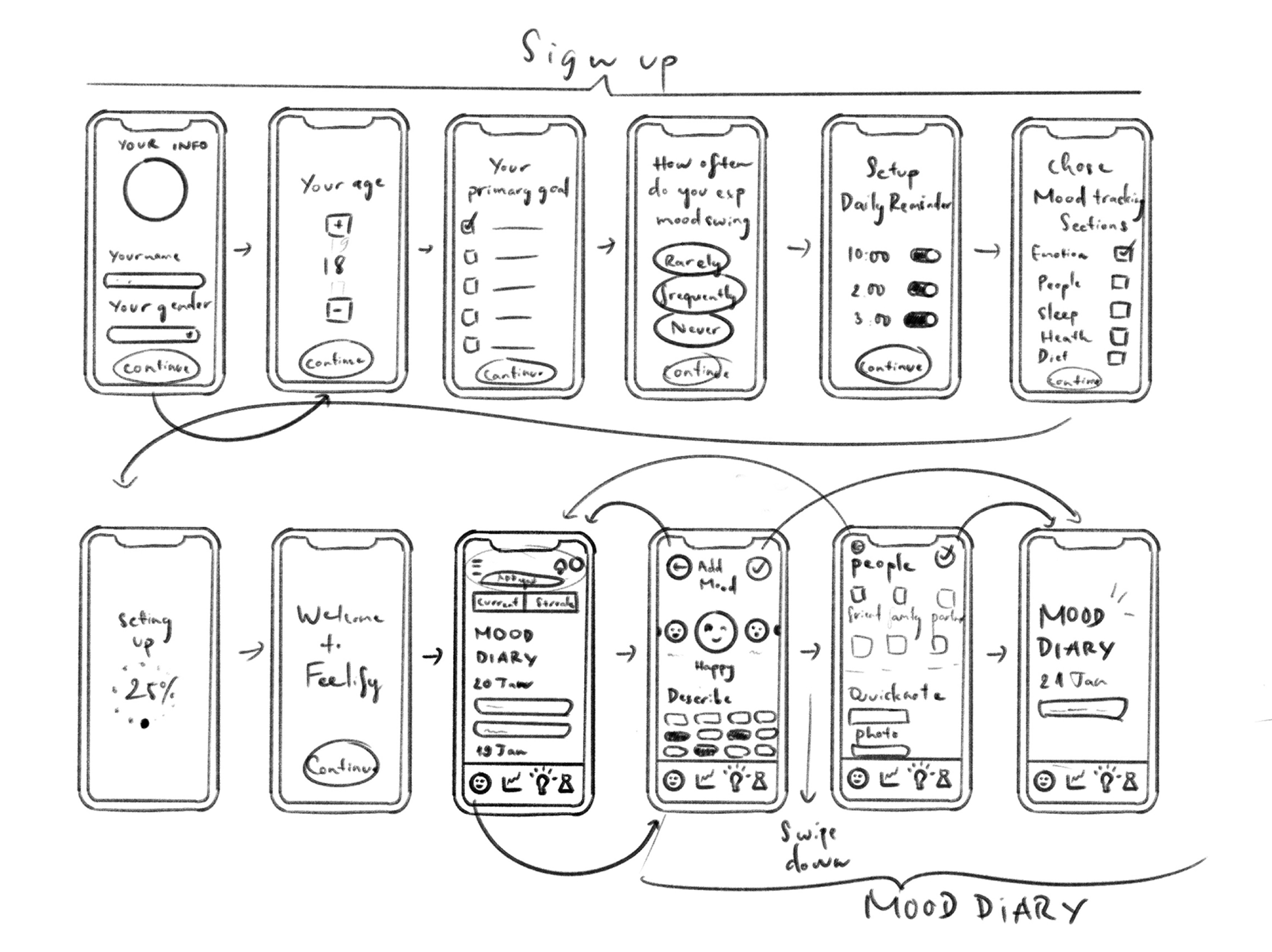
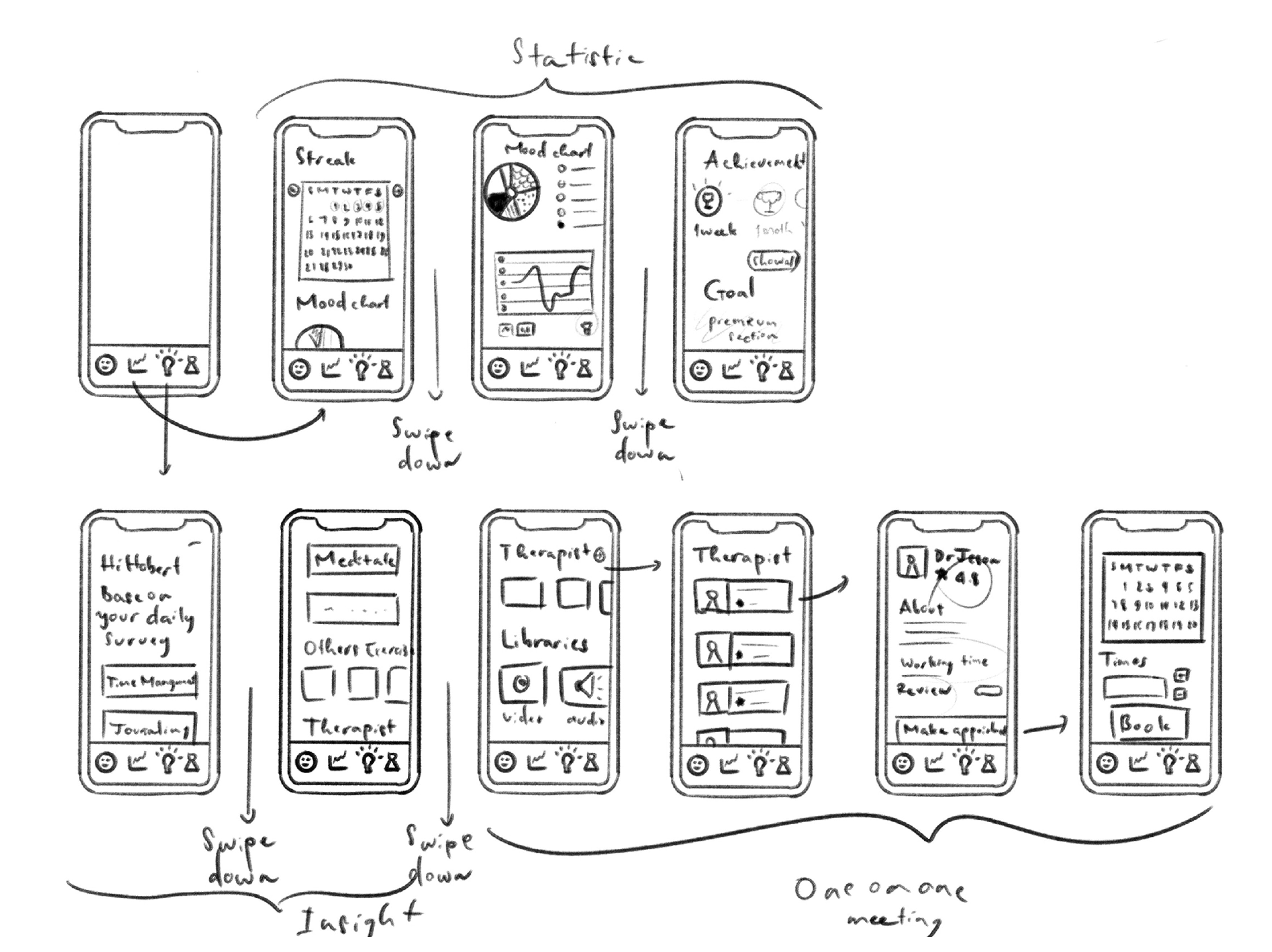
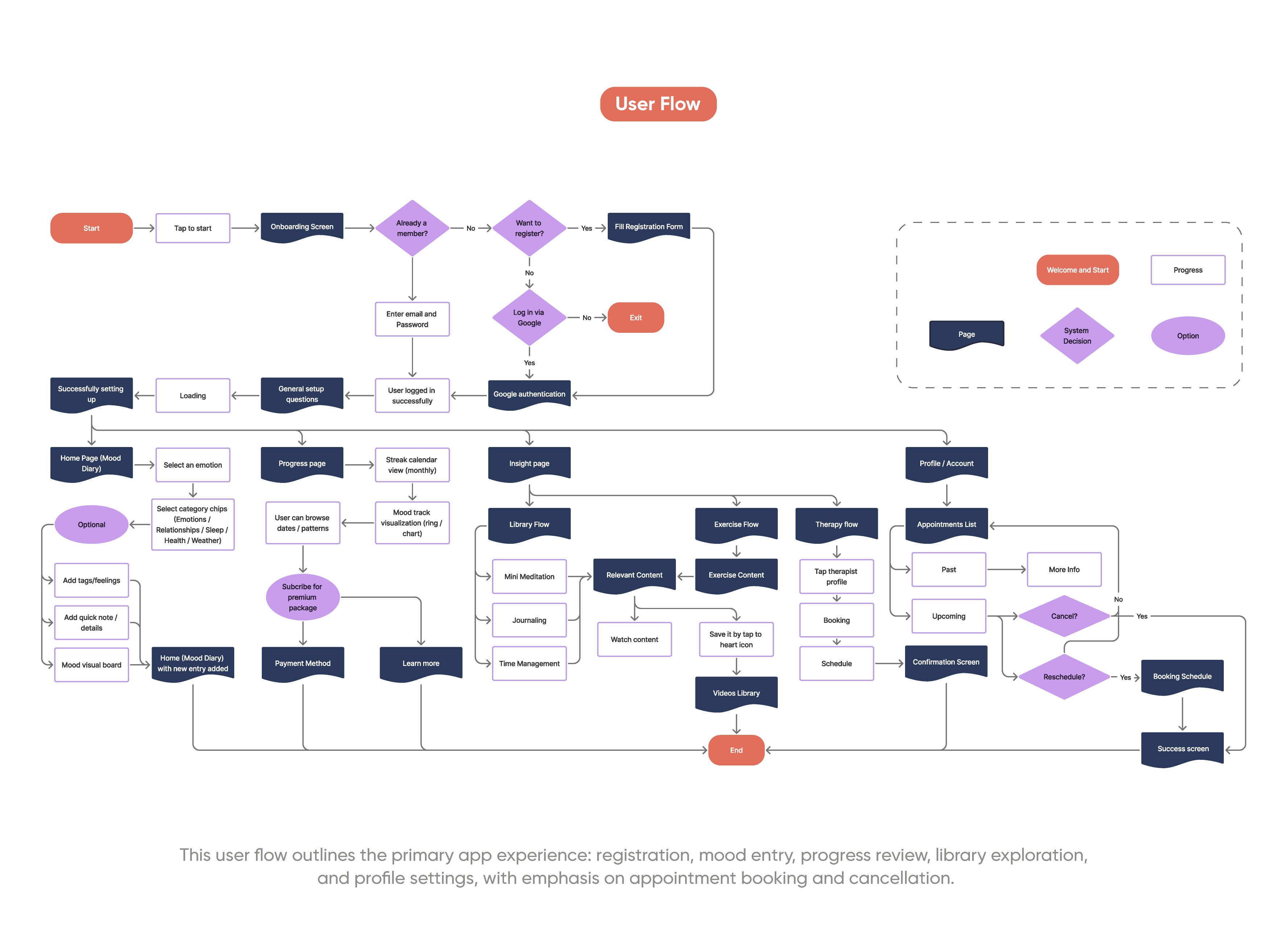
Feelify is designed to be quick and visual-first, so users can learn the flow in under 5 minutes. It gives them flexible ways to express their mood, like journaling or adding images, which improves analysis and recommendations. The flow below focuses on core tasks (sign-up, mood entry, progress review, in-app suggestions, and booking an expert appointment when needed) rather than detailed data outputs.
Style Reference
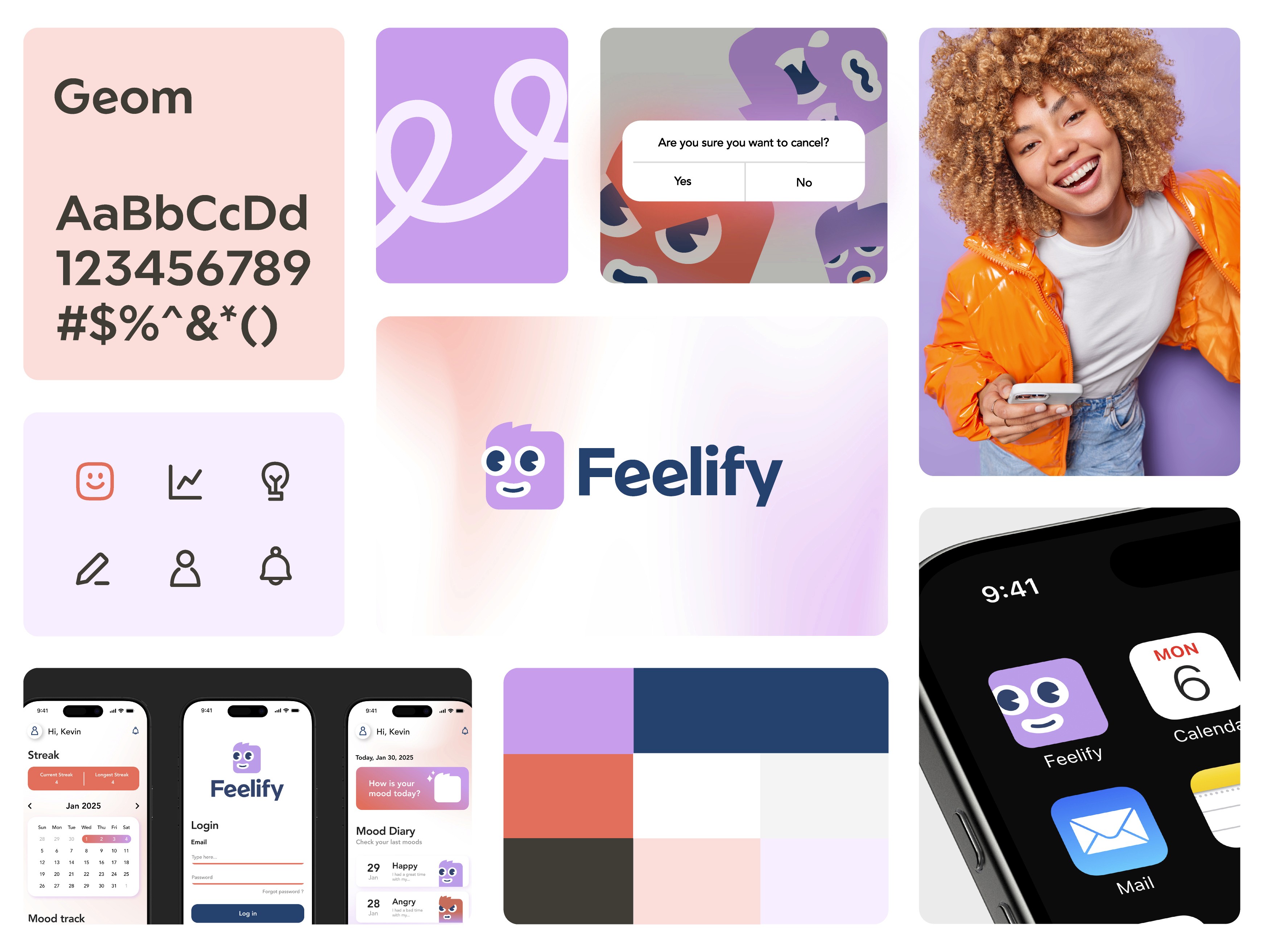
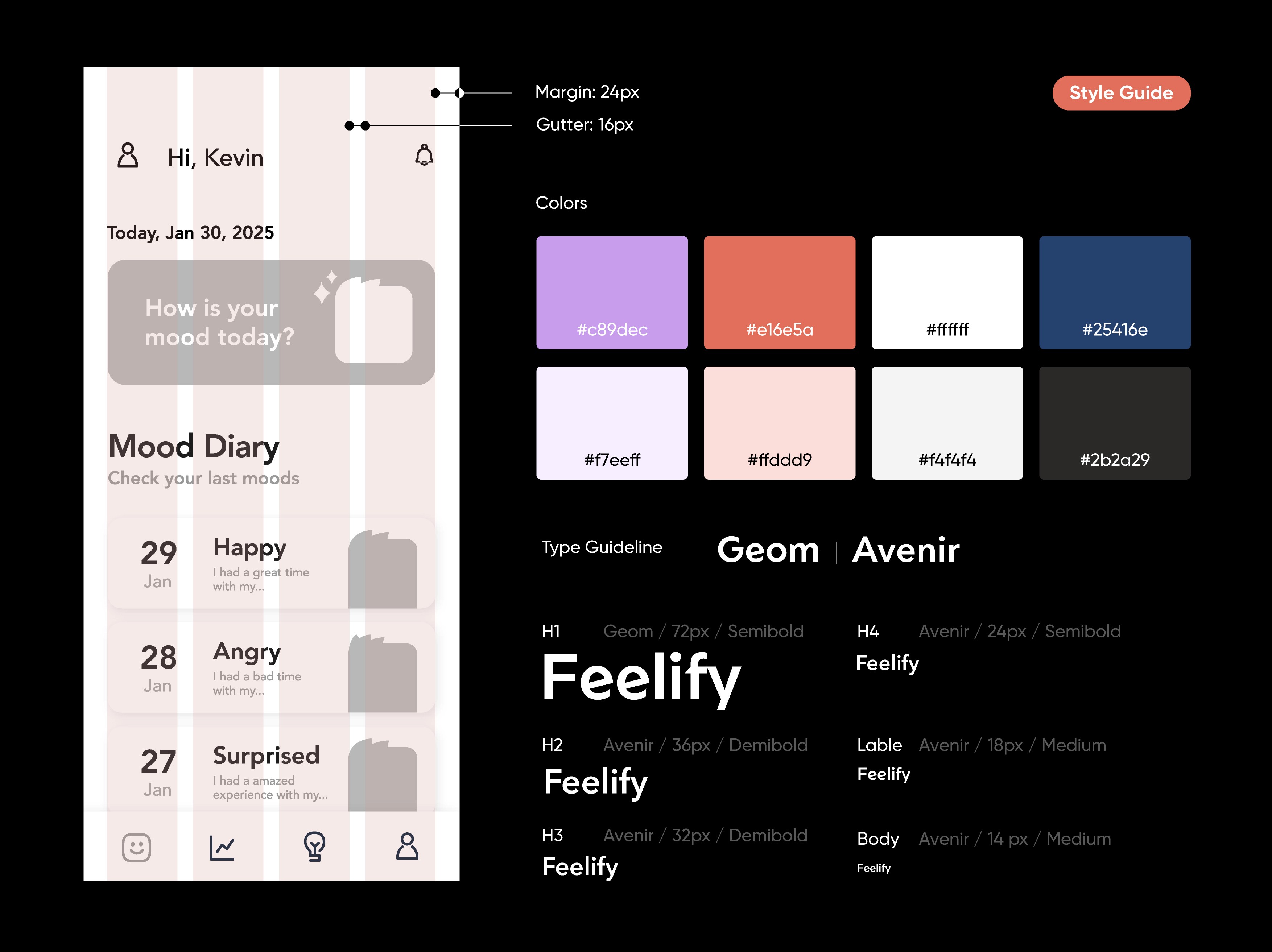
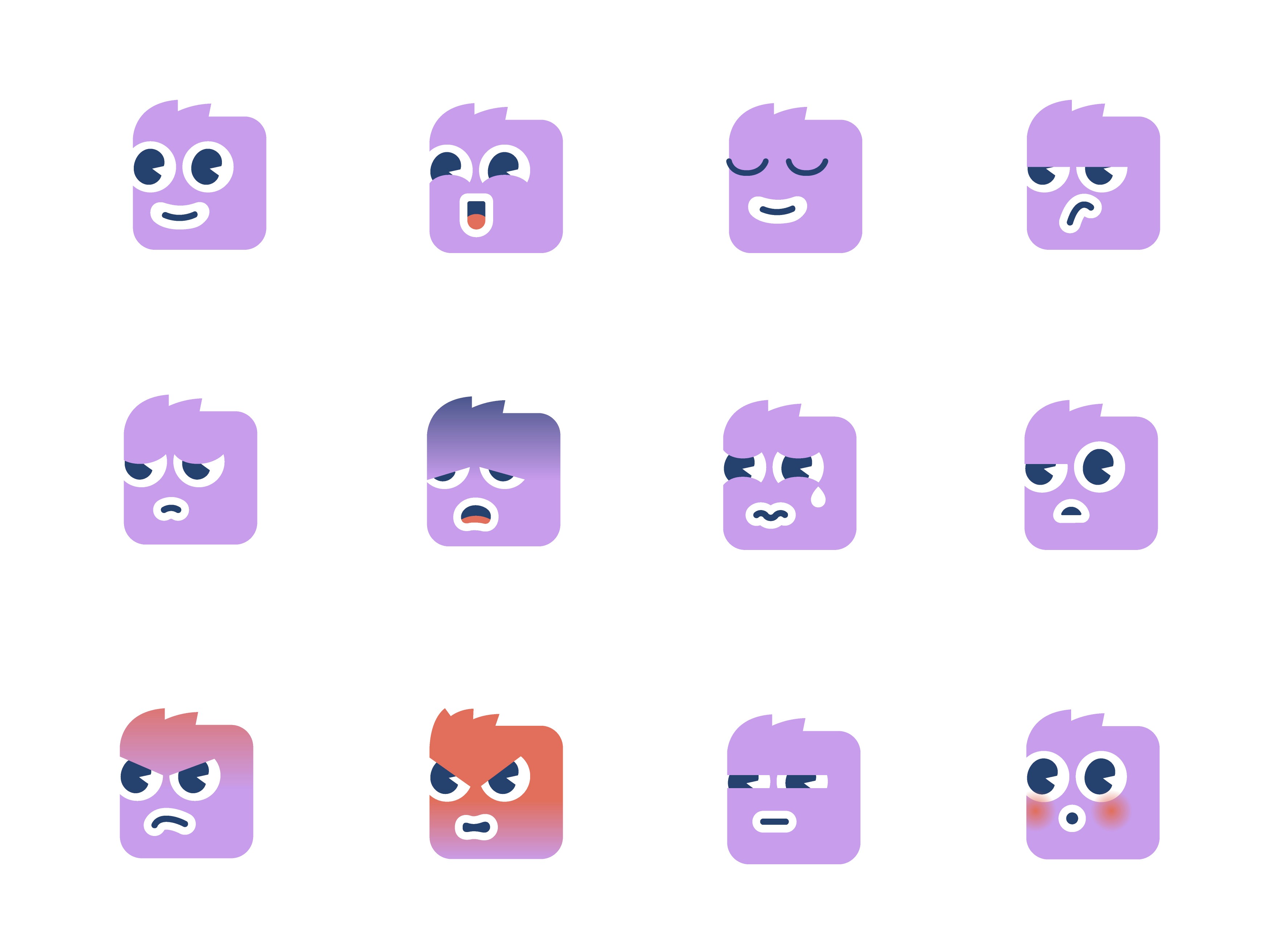
The main brand character is designed with rounded corners and a range of friendly, expressive faces, adding personality while helping users recognize emotions at a glance without heavy or complicated analysis. A soft pastel gradient palette feels gentle on the eyes and stays engaging, avoiding the monotony of plain white. Meanwhile, the typography system is minimal and neutral, keeping the tone nonjudgmental toward the user’s feelings.
Overall, Feelify’s visual language balances comfort and clarity, which suits a mood-tracking app where consistency and emotional safety matter most.
Prototype
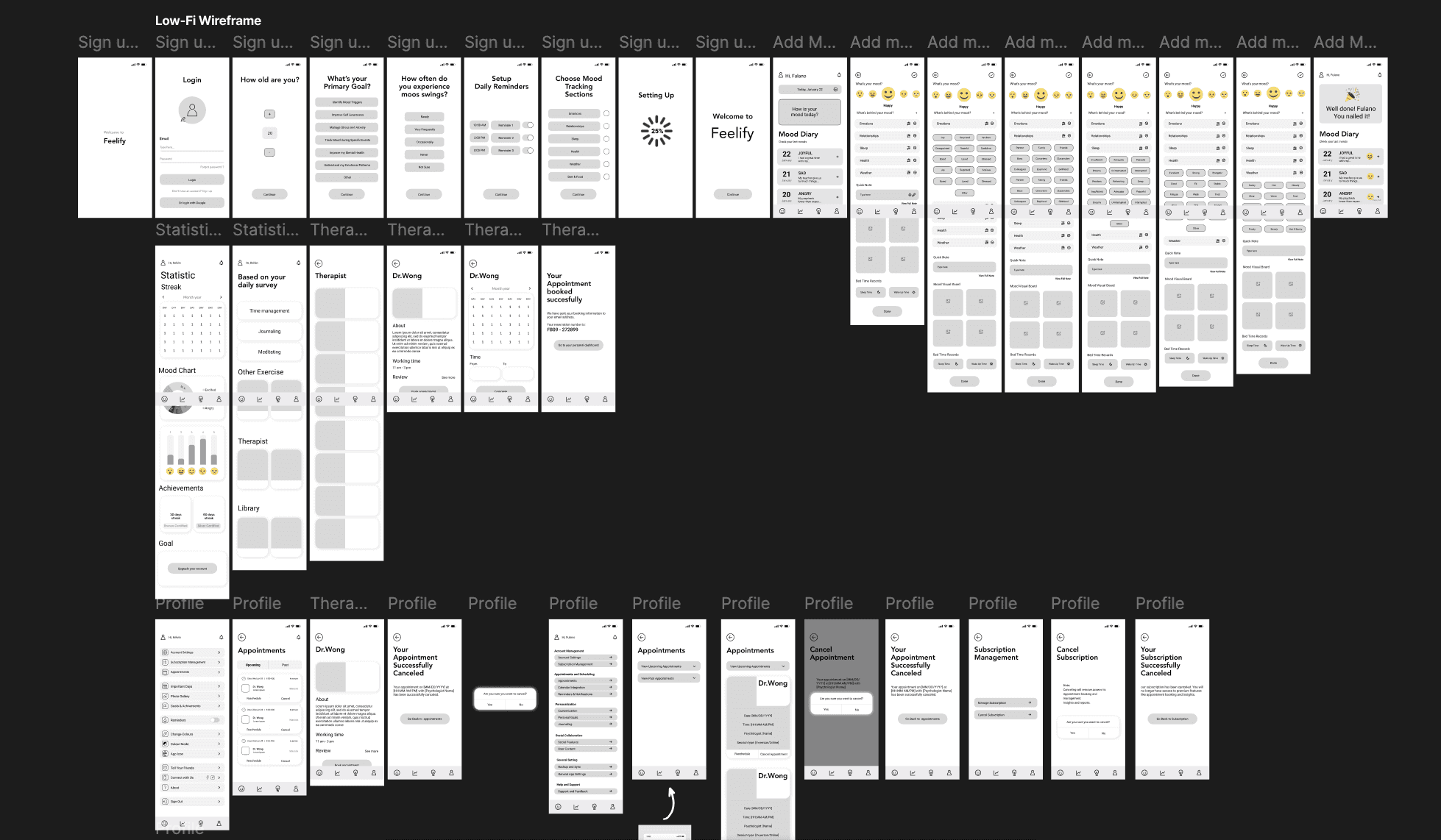
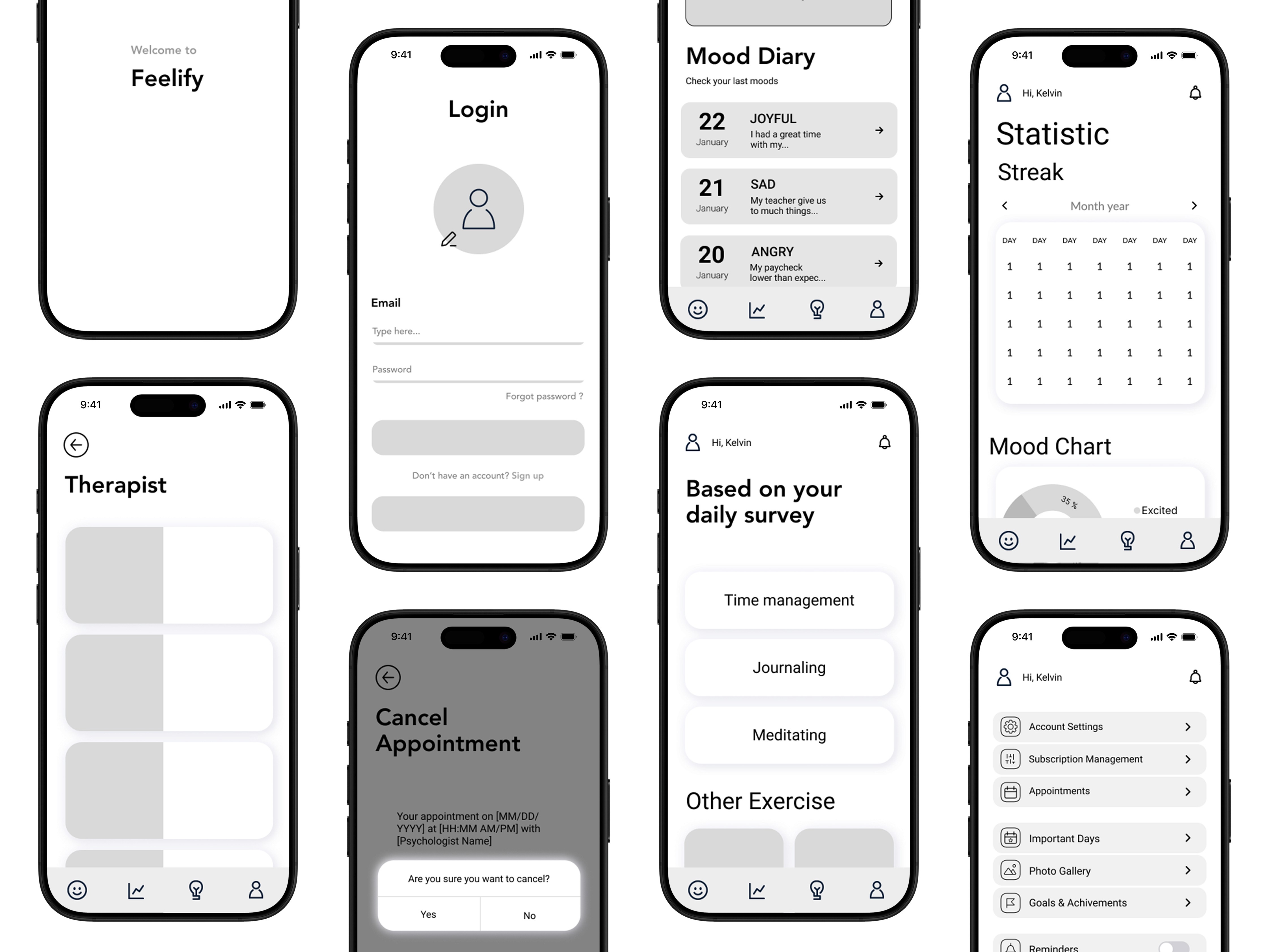
Finally, to validate whether the user flow was truly optimized for ease of use, we created sketches, developed a mid-fidelity version, and conducted user testing before applying the style reference to build the high-fidelity prototype.
Some challenges users faced came from inconsistent scaling and hierarchy of visual elements, which caused slight confusion when interacting with certain features. In some cases, repeated content across different flows also made it harder for users to quickly identify their goal during realism-based app testing.
The high-fidelity version resolved the basic visual issues and users reported feeling more confident following the app flow. However, we still can’t claim this is the most optimal solution for this type of app due to time limits and skill constraints required to reach full real-world feasibility. That said, from a UI/UX development perspective, real feedback from potential users remains the key guide for keeping the project aligned with what people actually need.